


Machine area
Machine status comes in on its own
Machine status, good and defective counts and run hours come in automatically, with no manual logging.
AI factory management for plants of 30 to 300 people
One set of data. Nobody chases status. AI watches for delays, shortages and defects.
Constant turnover, more than one language on the floor; handoffs on paper break down.
Three people to say where one order stands; you hear it's late from the customer.
Orders, inventory, receivables and maintenance each in a different spreadsheet; you wait for someone to pull it together.
A stack of forms waits for your signature; a week away means two days catching up.
Which materials went into that lot, what did inspection find? Three days digging through paper.
Lines down for lack of material, overdue maintenance, midnight reschedules: you find out after the fact.
Cardo Maximus is an AI factory management system for factories of 30 to 300 people: production, quality, inventory, equipment, customers, orders, purchasing, accounting, engineering, approvals and documents in one system, on one set of data. Start with one department; keep your ERP if you have one, or move everything over at once. From planning to go-live, someone stays with you until your team actually uses it.
Not sure it fits? See who it's for
ERP or no ERP, you start from where you are.
Keep it. Orders and books stay in your ERP; the shop floor, approvals and documents move into Cardo Maximus first. Switch later and orders, purchasing and accounting are already in the same system, so nothing migrates twice.
Move everything over. Orders, purchasing and accounting sit on the same data as production orders, shop-floor reporting and inspections. The transaction and finance core arrives in Q1 2027; statutory tax filing and payroll run alongside your existing accounting and payroll software for now and come later. Put the shop floor and approvals live now; your data carries over when accounting connects.
Start with one department; add the next when it runs smoothly. It was one set of data all along, so nothing you set up now gets rebuilt.
Click a work area to see what it runs on. Not one of these four industries? Same features.
Legend: Available now Coming Q1 2027 Coming later
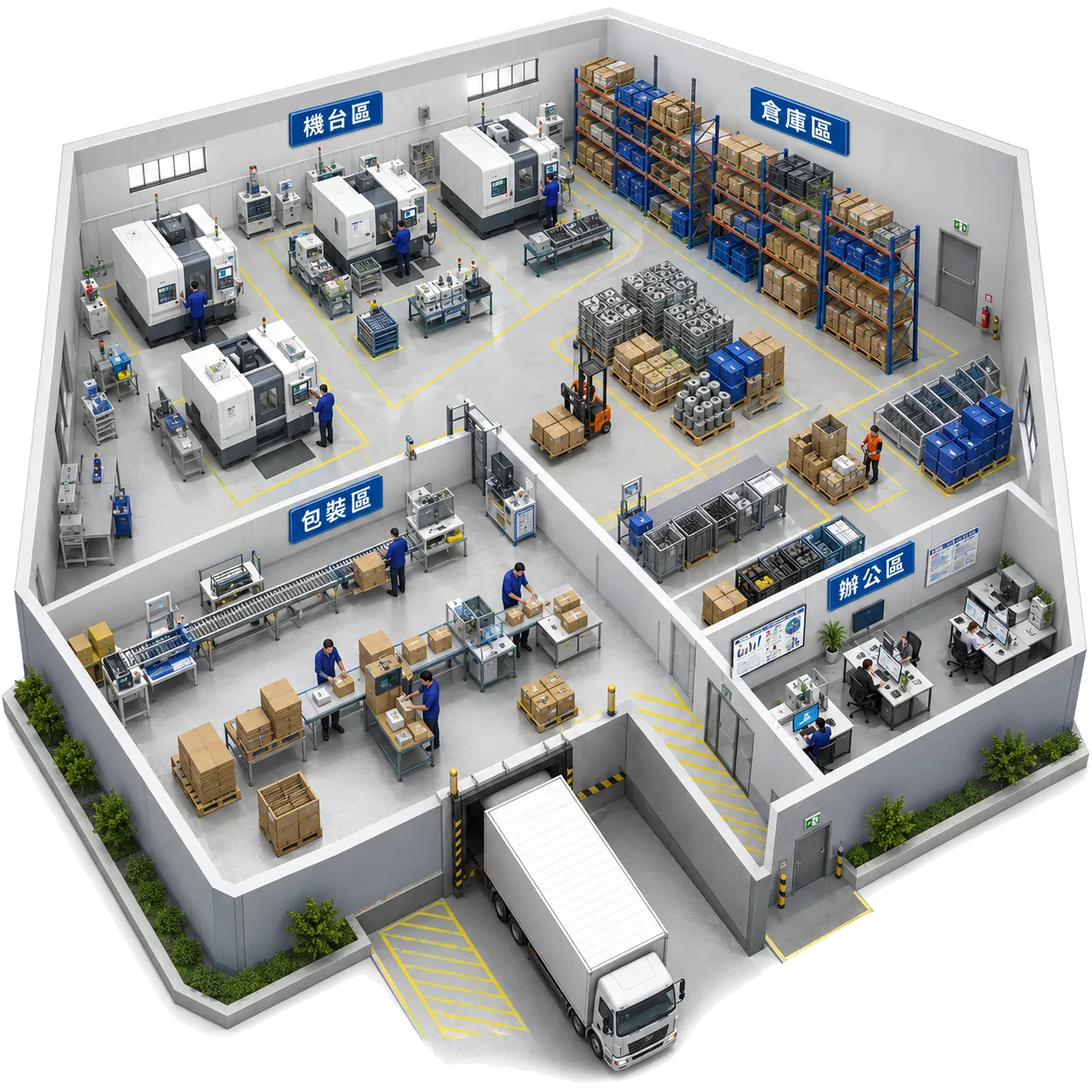
Machine area
Machine status, good and defective counts and run hours come in automatically, with no manual logging.
Machine area
When a machine is reported for repair, the schedule routes around it and restores it automatically once it's fixed.
Warehouse
A receiving scan records the lot number and location together, so every carton shows where it came from and where it went.
Line-side store
An issue scan confirms item and lot, and stock figures update immediately.
Packing
Every piece will be scanned before sealing; a wrong quantity or item will stop the carton from being closed.
Shipping dock
Shipping documents carry the lot number, so when a customer asks which lot used which material, it's one search; a dock release check comes later (Coming later).
Machines, warehouse and shipping on one set of data. Machine status comes in on its own, every material lot is traceable, and shipping documents carry the lot number, so when a customer asks, you look it up.
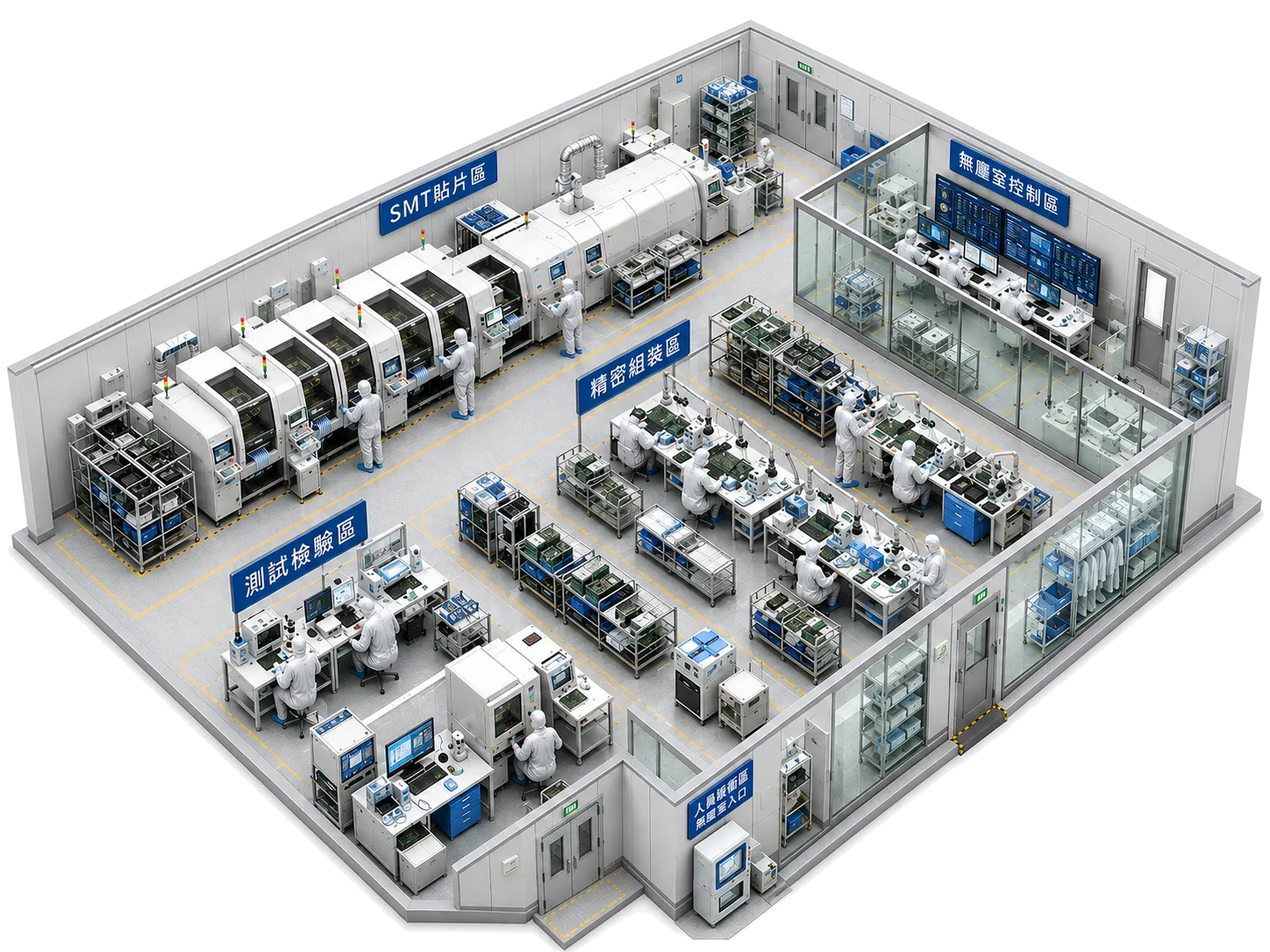
SMT line
First-article inspection specs and results are recorded in the system.
Reflow oven
Stencil life and solder-paste shelf life, for example, will be tied to the production order; anything expired can't be issued.
Precision assembly
Every board is tied to a lot: which material lot it used and which operations and inspections it passed are all traceable.
Cleanroom control
Temperature, humidity and ESD points will feed into the system, with the floor and quality notified when limits are exceeded.
Test and inspection
Incoming, in-process, final and outgoing inspection; nonconformance reports flow into corrective action tracking, and overdue items turn red.
Gowning entrance
An expired certification or qualification is caught at station check-in; access-control integration comes later (Coming later).
Every station leaves a traceable record. First-article specs and results on record, every board tied to a lot, four inspection points and corrective actions in the system; electronics-specific fixture life and environmental monitoring are marked coming later.
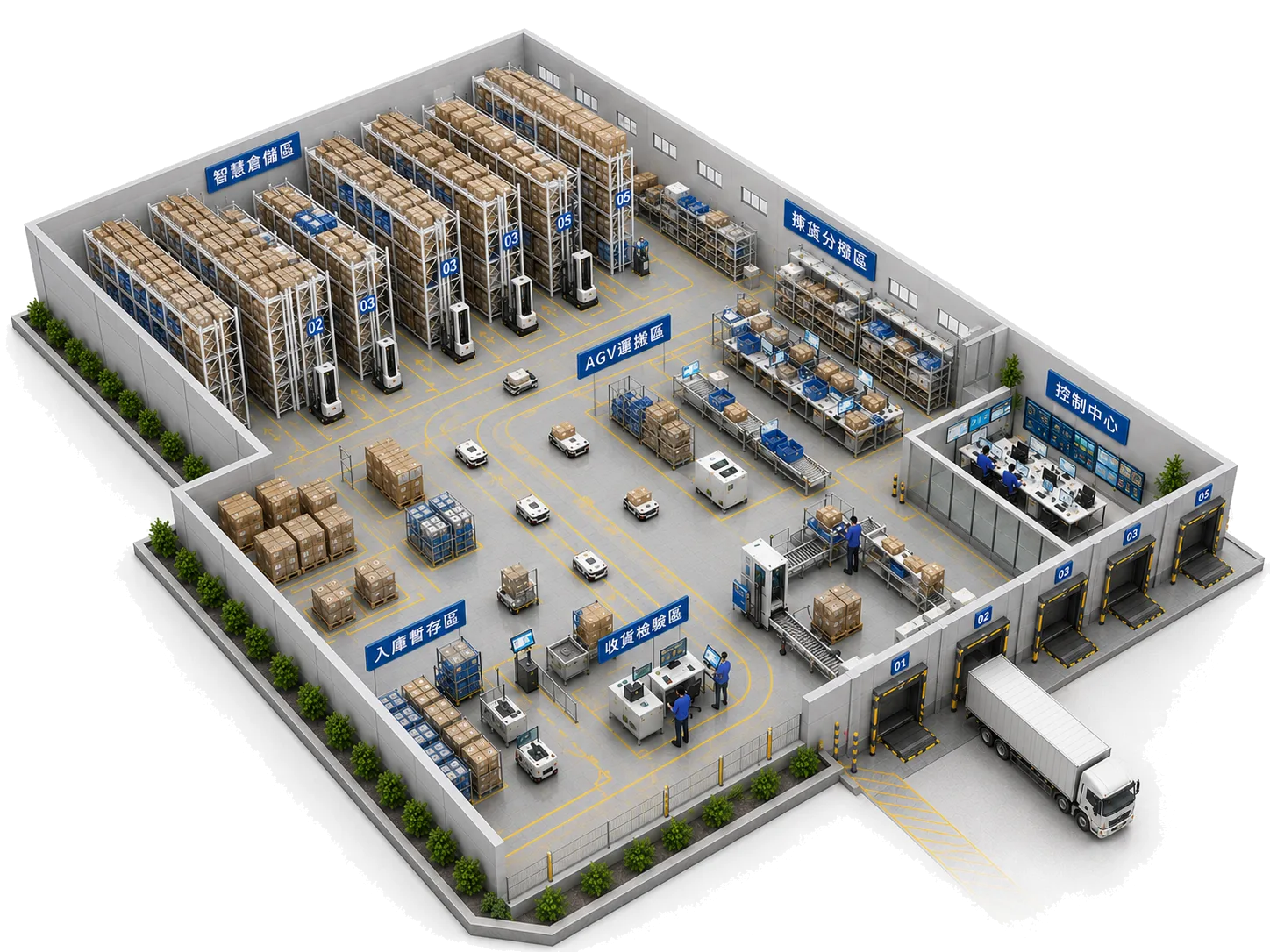
Storage area
A putaway task opens after receiving, recording location, quantity and lot together; count variances are visible.
Aisle
A count can cover just one area: only that area's stock movements are held during the count, everything else carries on, and variances post only after review.
Pick and sort
Pick lists and kitting tasks are in the system and pickers record the lot; at the line, scan the lot again and anything not on this production order is blocked.
Control center
Which machine has stopped and where, on one picture; click through to that station's panel.
Handling
Forklifts and carriers are in the asset register, and maintenance orders open when due.
Receiving inspection
An arrival scan creates the lot and opens the incoming inspection, with results attached to the lot.
Receiving and issuing by scanning; putaway, picking, counting and shipping all in the system, with stock figures always current; equipment faults light up on the 3D plant map.
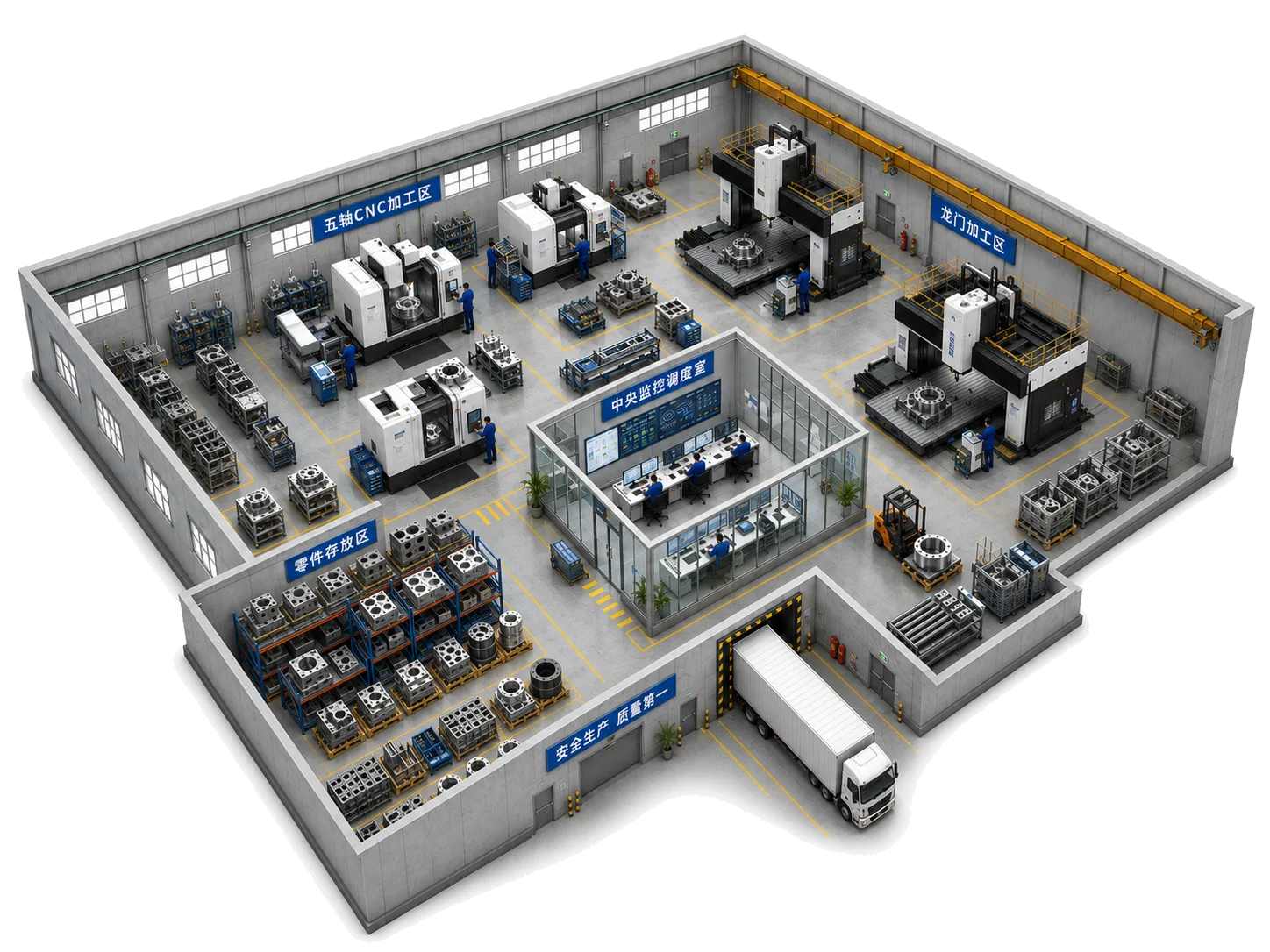
Five-axis CNC
Fixtures have their own register and maintenance records and count as constraints in the schedule; cumulative tool-life alerts come later (Coming later).
Measurement station
Measured values go into the inspection form, attached to the production order and lot; a direct feed from measuring machines comes later (Coming later).
Gantry machining
Which orders aren't scheduled and how loaded each machine is, at a glance; drag to resequence and completion dates recalculate.
Crane
Cranes and other shared resources will be counted as constraints in the schedule.
Parts storage
Each piece's location and next station are visible; no walking the floor to find it.
Central control room
Dispatch board, labor-hours board and the 3D plant map on one wall; dispatch changes are made on the spot.
Large parts, long cycle times, slow changeovers. The schedule accounts for fixture constraints, measurement results write back to the production order, and every piece of work in progress shows which station it's at.
Ask once and yesterday's shop-floor, quality, equipment and inventory data is laid out for you.
The moment an order risks running late, planning gets a heads-up, before the customer calls.
When defects spike, it lists likely causes side by side. You make the call.
Ask directly instead of flipping through three reports:
Daily reports, incident reports and inspection summaries: it writes the first draft.
Sends notices, creates tasks and chases overdue items by your rules; anything important asks you first.
Spending is capped
Changing data asks a person
Everything is logged
Enter it once: part numbers, customers and production orders are created once; everyone sees the same record.
One login sees everything: several companies and sites, each seeing only its own.
One point of contact from start to finish: assessment, go-live, the next department.
We map your process, build screens from your own forms, and stay until the first line is running.
Your paper, spreadsheets and the main problems today.
Working screens built from your own forms.
People, permissions, master data; we run the first line with you.
Managers and the floor can run it without one go-to person.
Adjust as you use it, then expand to other departments.
No. Your orders and books can stay in your current ERP while the shop floor, approvals and documents move into Cardo Maximus; we connect through imports, exports and data links, whatever the brand.
Not at all. Nothing has to be wired to the machines: tablets, phones, fixed workstations and barcode scanners capture shop-floor data, no equipment upgrade needed.
No. We start with one process, one line or one department, build screens from your own forms, and switch over step by step. The floor keeps running.
Factories of 30 to 300 people fit best. Under 10 people, a spreadsheet or basic inventory software is usually enough, and we'll tell you so.
Yes. Forms, routings, approval rules and permissions are set up to match how you actually work; you don't change your process to fit the system.
It depends on how much master data needs cleaning up and what has to connect. A single form or reporting flow usually goes live first; other departments follow.
Yes, in Q1 2027; statutory tax filing and payroll run alongside your existing accounting and payroll software for now. Already have an ERP? Keep it: orders and books stay there while the floor, approvals and documents move in first. Switch later and nothing migrates twice.
Three things you can count on
The first step is small: tell us how you run things today. We map it for free and tell you where to start. No pitch for the whole system.
Book a free assessment